72300X Exam Details
-
Exam Code
:72300X -
Exam Name
:Avaya Aura Communication Applications Support -
Certification
:Avaya Certifications -
Vendor
:Avaya -
Total Questions
:93 Q&As -
Last Updated
:Jul 12, 2026
Avaya 72300X Online Questions & Answers
-
Question 61:
A customer reports that they cannot place WebRTC calls. You discover there is a problem with communication between Avaya Breeze ™ and the Avaya Aura® Media Server (AAMS). Where in Avaya Breeze ™ do you set/check the User ID for Restful TLS authentication?
A. Use the System Manager (SMGR) web GUI to access Breeze > Configuration > Avaya Aura Media Server
B. Use the System Manager (SMGR) web GUI to access Breeze > Cluster Administration > General > Cluster Attributes
C. Use the System Manager (SMGR) web GUI to access Breeze > Configuration > Attributes
D. Use the System Manager (SMGR) web GUI to access Breeze > Server Administration > Dashboard -
Question 62:
In Avaya Aura® 7 the Avaya Session Border Controller for Enterprise (SBCE) license is installed on an external WebLM server and the EMS points to the WebLM server using a URL.
What is the correct syntax of that URL where 135.60.232.41 is the IP address of the WebLM server?
A. https://135.60.232.41:8443/WebLM/LicenseServer
B. https://135.60.232.41:8080/LicenseServer
C. https://135.60.232.41:52233/WebLM/LicenseServer
D. https://135.60.232.41/WebLM -
Question 63:
Avaya Support personnel report a case, including root cause and resolution, in the Knowledge Base. Which 8D Methodology discipline covers this action?
A. D8
B. D7
C. D6
D. D5 -
Question 64:
A customer reports that none of their users can IM or see each other's presence. After troubleshooting you discover that default gateway of the Avaya Breeze ™ SM100 has the wrong IP Address in the configuration. Where would you go to correct this problem?
A. Use Avaya Aura® System Manager web GUI to access the Breeze < Server Administration, and edit the Server Instance.
B. Use Avaya Aura® System Manager web GUI to update the SIP Entity screen.
C. Use SSH to Avaya Breeze ™, and use the route command to correct the routing table.
D. Use SSH to Avaya Breeze ™, and run SMnetSetup. -
Question 65:
Which method can be used to verify the Client and TSAPI services have been administered correctly?
A. The TSAPI test is call initiated from CTI endpoints using SIP telephones.
B. The TSAPI test is call initialed from within Avaya Aura® Communication Manager (CM) command line using the test TSAPI interface command.
C. The TSAPI test is call initiated within the TSAPI web interface > TSAPI Monitoring Tool menu.
D. The TSAPI test is call initiated within the Utilities > Diagnostics > AE ServiceTSAPI Test menu. -
Question 66:
After completing Discipline 4, Determining Root Cause, of the 8D Troubleshooting Methodology, what is the next discipline to be completed?
A. Discipline 5 – Implement a Work-around
B. Discipline 5 – Implement Corrective Actions
C. Discipline 5 – Choose Corrective Actions
D. Discipline 5 – Prevent Recurrences -
Question 67:
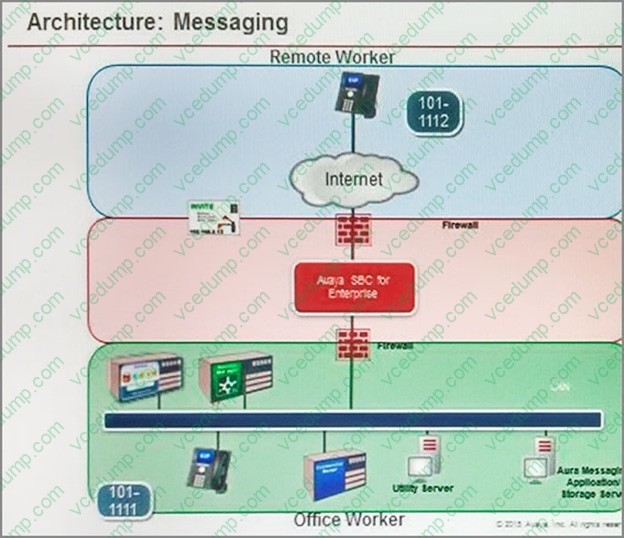
Refer to the exhibit.
Avaya Tier 3 support receives a case escalated by Tier 2 where the customer cannot receive incoming calls, but can make calls out successfully. The trace shows that the incoming calls arrive at the Avaya Session Border Controller for
Enterprise (SBCE) but fail to get routed into the customer enterprise network. Based on this information, what is and is not working?
A. The local area network, Avaya Aura® Communication Manager, and Avaya Aura® Session Manager are working. SBCE is partially working, but routing may be incorrect.
B. The local area network, Avaya Aura® Communication Manager, and Avaya Aura® Session Manager are working. The public network is not working.
C. The local area network, Avaya Aura® Communication Manager, and Avaya Aura® Session Manager are working. SBCE is not working.
D. The local area network and Avaya Aura® Session Manager are working. Avaya Aura® Communication Manager is not working. -
Question 68:
Which two statements describe the 8D Troubleshooting Methodology? (Choose two.)
A. It is eight steps that guarantee a logical way to isolate an issue.
B. It is eight steps that ensure a faster time to resolution.
C. It is eight steps used to guarantee systems are operational after an implementation.
D. It is eight steps that define how to escalate third-party integration issues.
E. It is eight steps that guarantee a thorough analysis of a failure, containment actions, full resolution, and prevention for the future. -
Question 69:
A customer reports that Instant Messaging (IM) and Presence are not working for one or two users. Where would you go to check that IM and Presence have been enabled for the affected users?
A. Use Avaya Aura® System Manager (SMGR) web GUI to access the Engagement Development Platform > Service Management click on List Presence Users.
B. Use System Manager (SMGR) web GUI to access User > Users Management > Manage Users > Communication Profile. Ensure that the presence profile is enables and that the right presence server is selected.
C. Use SSH to Avaya Breeze ™and run “display user xxxx” where xxxx is the station number.
D. Use Avaya Aura® System Manager (SMGR) web GUI to access User Management > Manage Users > More Actions > Presence Users. Ensure that the presence profile is enables and that the right presence server is selected. -
Question 70:
Incoming SIP Trunking calls from Service Provider to Session Manager are failing because Avaya Session Border Controller for Enterprise (SBCE) is not sending a domain name in the TO, FROM and REQUEST headers. What needs to be changed in SBCE to make this happen?
A. In SBCE GUI, navigate to Global Profiles > Routing. Edit the Session Manager Routing Profile to link to a URI Group, which has the To, From and Request Headers and Replace Action set to Overwrite with domain name.
B. In Avaya Session Border Controller for Enterprise (SBCE) GUI, navigate to Global Profiles > Server Configuration > Edit the Session Manager server entry to set "Overwrite Domain Name."
C. In SBCE GUI, navigate to Global Profiles > Topology Hiding. Edit the SessionManager_TH to change the To, From and Request Headers Replace Action, to Overwrite with domain name.
D. In SBCE GUI, navigate to Device Specific Settings > Endpoint Flows > Server Flows. Edit the Session Manager flow to change the End Point Policy Group to default-low.
Related Exams:
-
3002
Avaya IP Office™ Platform Configuration and Maintenance Exam -
3100
Avaya Aura Contact Recording and Avaya Aura Quality Monitoring Implementation Exam -
3101
Avaya Aura® Communication Manager and CM Messaging - Embedded Maintenance and Troubleshooting Exam -
3102
Avaya IP Office Implementation -
3104
Avaya one-X UC Soft Clients Implementation and Maintenance -
3107
Avaya Session Border Controller Enterprise Implementation and Maintenance -
3108
Avaya Scopia® Solution Implementation and Maintenance Exam -
31860X
Avaya IX Calling Design -
3202
Avaya Aura® Conferencing (R7.x) Implementation and Maintenance -
3203
Avaya Aura Messaging Implementation and Maintenance Exam
Tips on How to Prepare for the Exams
Nowadays, the certification exams become more and more important and required by more and more enterprises when applying for a job. But how to prepare for the exam effectively? How to prepare for the exam in a short time with less efforts? How to get a ideal result and how to find the most reliable resources? Here on Vcedump.com, you will find all the answers. Vcedump.com provide not only Avaya exam questions, answers and explanations but also complete assistance on your exam preparation and certification application. If you are confused on your 72300X exam preparations and Avaya certification application, do not hesitate to visit our Vcedump.com to find your solutions here.