70-497 Exam Details
-
Exam Code
:70-497 -
Exam Name
:Software Testing with Visual Studio -
Certification
:Microsoft Certifications -
Vendor
:Microsoft -
Total Questions
:100 Q&As -
Last Updated
:Dec 06, 2021
Microsoft 70-497 Online Questions & Answers
-
Question 11:
You create a set of test cases for a complex requirement.
The test cases should be listed in a specific order.
You need to configure a test suite and define the order of the test cases.
Which type of test suite should you configure?
A. Query-based
B. Static
C. Requirements-based
D. Order-based -
Question 12:
You plan to conduct a manual test for an ASP.NET website by using Microsoft Test Manager (MTM). You create a test plan named Release 1.0 by using Testing Center in MTM. You need to configure the Release 1.0 test plan so that all the test cases in the test plan will run against the following platforms:

Microsoft Windows 7 and Windows Internet Explorer 8
Microsoft Windows Server 2008 and Windows Internet Explorer 8 What should you do?
A. Create new test environments with the specified configuration settings and associate the newly created environment to the test plan by changing the automated test environment settings.
B. Create new test configurations with the specified configuration settings and associate the newly created configuration to the test plan by changing the configuration settings.
C. Create new test environments with the specified configuration settings and associate the newly created environment to the test plan by changing the manual test environment settings.
D. Create new test environments with the specified configuration settings and associate the newly created environment to the test plan by changing both the manual and automated test environment settings. -
Question 13:
You are a test developer using Microsoft Test Manager (MTM).
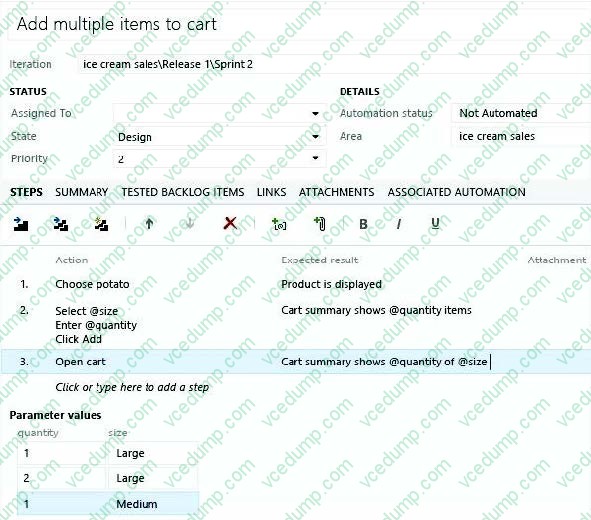
You are developing a test case that must be run multiple times with different input values for a specific field each time. You have a list of values that will be used for the input.
You need to modify the test to enter each value into the field.
What should you do?
A. Insert a parameter into the Action column of the test step and enter the input values into the Parameter Values pane.
B. Insert a parameter into the Expected Results column of the test step and enter the input values into Parameter values pane.
C. Insert a parameter into the Action column of the test step.
D. Create test steps for each input value in the Action column. -
Question 14:
You are using Microsoft Test Manager (MTM) for manual test runs.
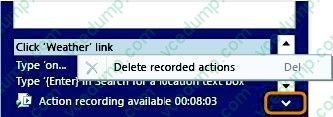
You are creating an action recording but some of the recorded actions were not part of the intended steps.
You need to remove only the unwanted actions from the current action recording.
What should you do?
A. Open the test results and save the action log. Edit the action log to remove the unwanted actions. Import the file as an attachment, overwriting the initial action log.
B. Reset the test case inside the test runner and create a new action log.
C. Delete the unwanted actions from the captured actions inside the test runner.
D. Open the test results and edit the action log to remove the unwanted actions. -
Question 15:
You are using Microsoft Test Manager (MTM). You have developed a new test case.
You need to:
Set the test case priority,
Set the area where the test will be used, and
Update the work item state to Ready.
What should you do?
A. Open the Test Configuration Manager view and change the area path, priority, and state.
B. Open the Test Plan Manager view and change the area path, priority, and state.
C. Open the test case work item and change the area path, priority, and state.
D. Open the test plan Properties view and change the area path, priority, and state. -
Question 16:
You are using Microsoft Test Manager (MTM).
You have been assigned to work on a test case for an application that is still in development.
There have been changes to the test case.
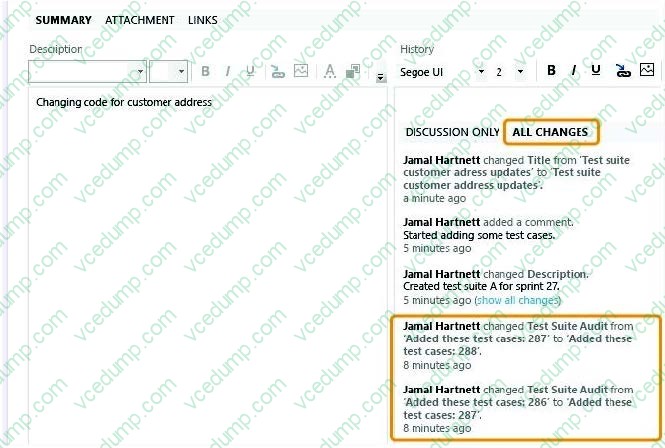
You need to know what changes have been made.
What should you do?
A. Open the test case work item, click on Links, then view links of the linked type Versioned Item.
B. View the automatic collected change document on the Attachments tab.
C. Open the test case work item, click the Summary tab, and click All changes.
D. Add a link to a test change document from the test plan properties. -
Question 17:
You are using Microsoft Test Manager (MTM).
A test case is already in production.
You need to modify the test case to indicate it is being reworked.
What should you do?
A. Change the test case state to Design.
B. Change the test case to Blocked.
C. Change the test case state to Closed.
D. Change the test plan state to Inactive. -
Question 18:
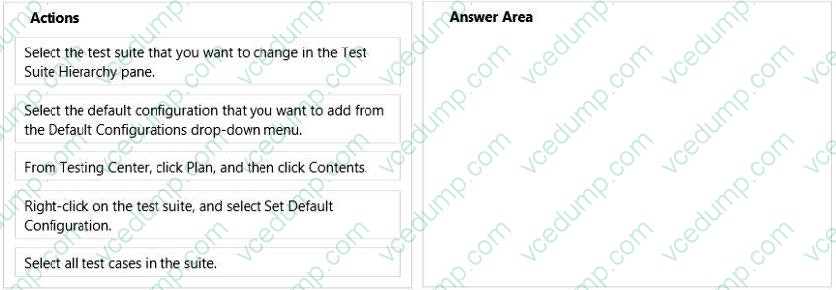
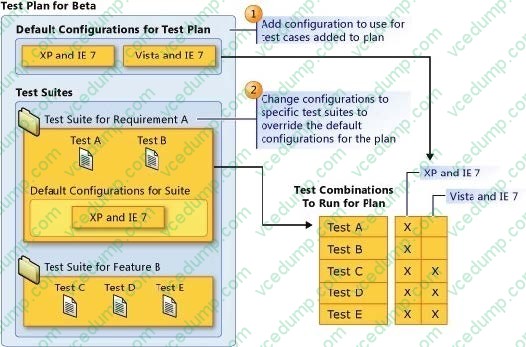
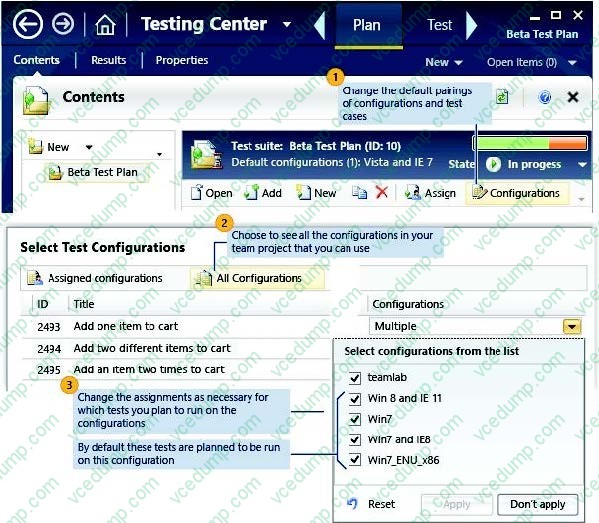
Your team uses Microsoft Test Manager (MTM) to manage test cases. You have a test plan with test cases organized in multiple test suites. You add a new configuration and associate it to your test plan.
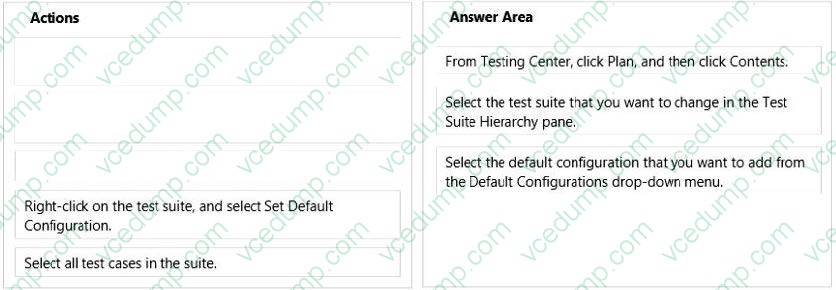
You need to include the new configuration in a test suite as part of the default configurations.
Which three actions should you perform in sequence? To answer, move the appropriate actions from the list of actions to the answer area and arrange them in the correct order.
Select and Place:
-
Question 19:
You are using Microsoft Test Manager (MTM).
Your testing team is creating test cases for an application.
You need to assign the state of the test suite that contains test cases that are unavailable to run.
Which state should you assign?
A. In Planning
B. Completed
C. In Design
D. In Progress -
Question 20:
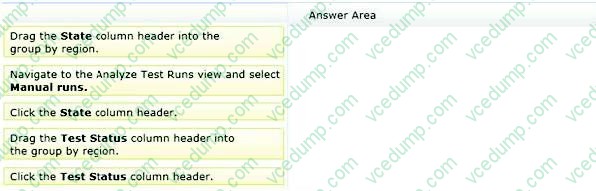
You are using Microsoft Test Manager (MTM) to manage your testing efforts.
You want to see how manual testing is going for the current plan.
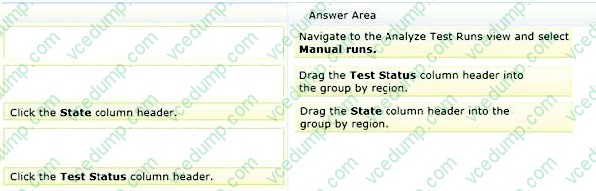
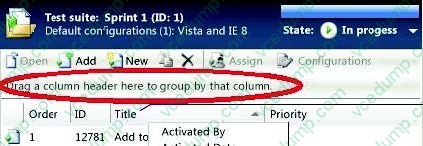
You need to see a list of manual test runs grouped first by Test Status and then by State.
What should you do? (To answer, move the three appropriate actions from the list of actions to the answer area and arrange them in the correct order.)
Select and Place:
Related Exams:
-
62-193
Technology Literacy for Educators -
70-243
Administering and Deploying System Center 2012 Configuration Manager -
70-355
Universal Windows Platform – App Data, Services, and Coding Patterns -
77-420
Excel 2013 -
77-427
Excel 2013 Expert Part One -
77-725
Word 2016 Core Document Creation, Collaboration and Communication -
77-726
Word 2016 Expert Creating Documents for Effective Communication -
77-727
Excel 2016 Core Data Analysis, Manipulation, and Presentation -
77-728
Excel 2016 Expert: Interpreting Data for Insights -
77-731
Outlook 2016 Core Communication, Collaboration and Email Skills
Tips on How to Prepare for the Exams
Nowadays, the certification exams become more and more important and required by more and more enterprises when applying for a job. But how to prepare for the exam effectively? How to prepare for the exam in a short time with less efforts? How to get a ideal result and how to find the most reliable resources? Here on Vcedump.com, you will find all the answers. Vcedump.com provide not only Microsoft exam questions, answers and explanations but also complete assistance on your exam preparation and certification application. If you are confused on your 70-497 exam preparations and Microsoft certification application, do not hesitate to visit our Vcedump.com to find your solutions here.