MD-102 Exam Details
-
Exam Code
:MD-102 -
Exam Name
:Endpoint Administrator -
Certification
:Microsoft Certifications -
Vendor
:Microsoft -
Total Questions
:431 Q&As -
Last Updated
:May 25, 2026
Microsoft MD-102 Online Questions & Answers
-
Question 131:
You use the Microsoft Deployment Toolkit (MDT) to deploy Windows 11.
You create a new task sequence by using the Standard Client Task Sequence template to deploy Windows 11 Enterprise to new computers. The computers have a single hard disk.
You need to modify the task sequence to create a system volume and a data volume.
Which phase should you modify in the task sequence?
A. Initialization
B. State Restore
C. Preinstall
D. Postinstall -
Question 132:
HOTSPOT
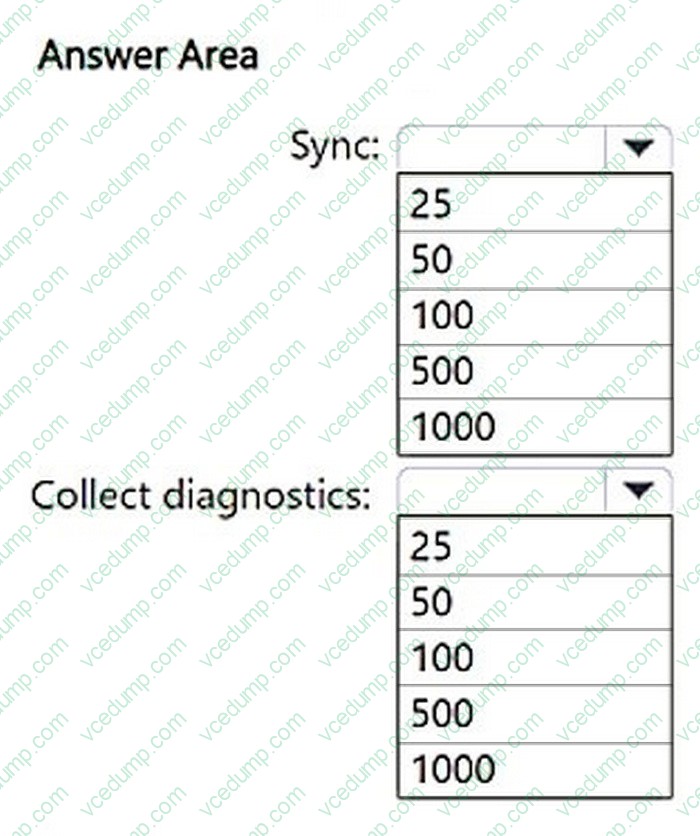
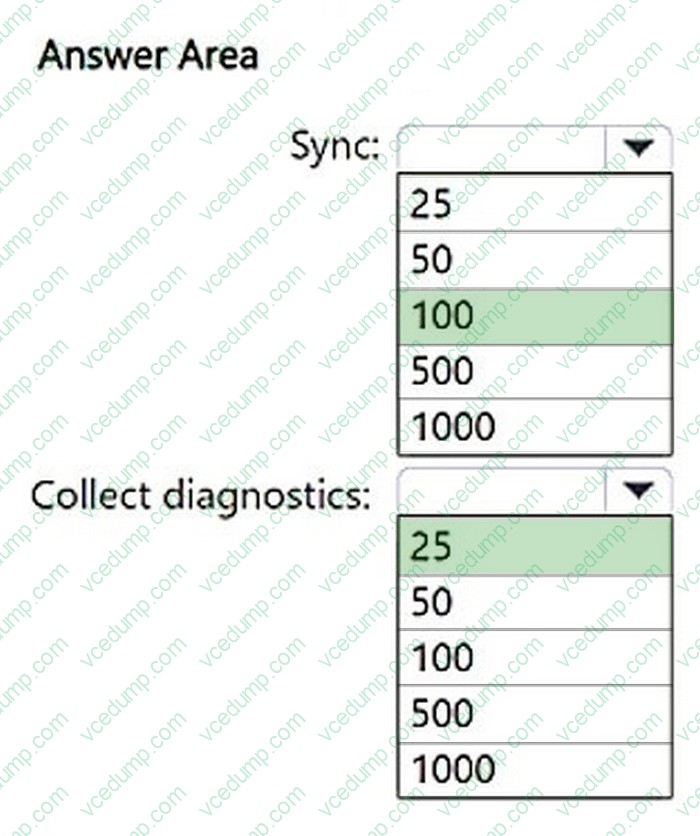
You have a Microsoft 365 subscription that contains 5,000 Windows devices enrolled in Microsoft Intune.
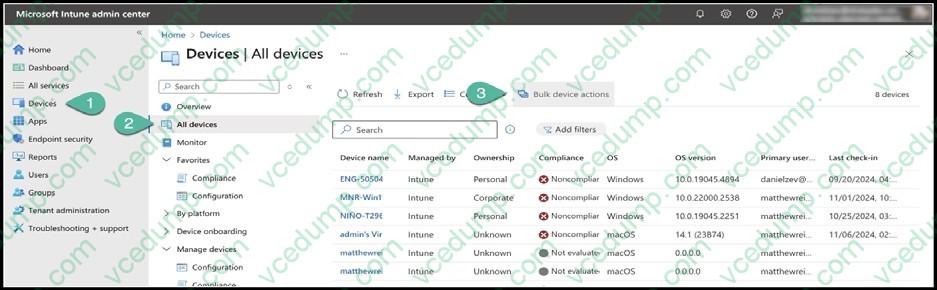
You plan to use the Sync and Collect diagnostics bulk device actions.
What is the maximum number of devices you can include in each action? To answer, select the appropriate options in the answer area.
NOTE: Each correct selection is worth one point.
-
Question 133:
You have a Microsoft 365 E5 subscription.
All Windows devices are enrolled in Microsoft Intune.
You need to deploy the Remote Help app to all the devices.
The solution must minimize administrative effort.
Which type of app should you deploy?
A. Windows app (Win32)
B. line-of-business (LOB)
C. Microsoft 365
D. Microsoft Store -
Question 134:
HOTSPOT
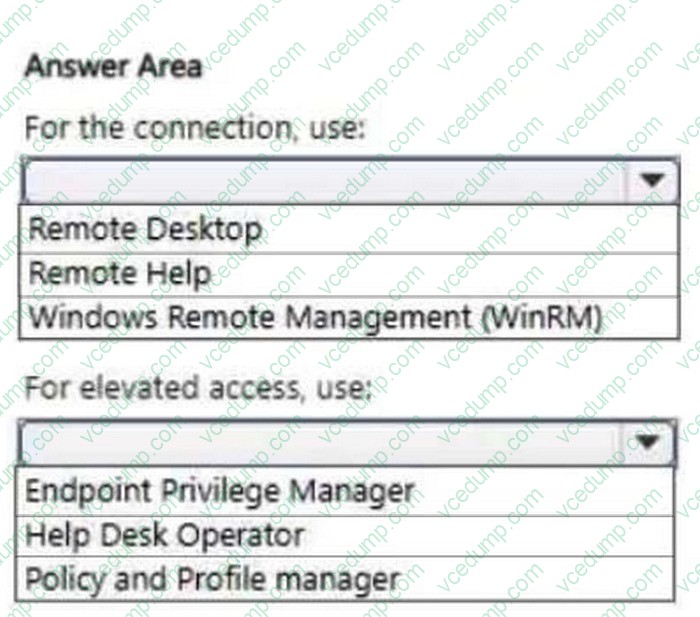
You have a Microsoft 365 E5 subscription that uses Microsoft Intune Suite.
You need to recommend a solution that meets the following requirements:
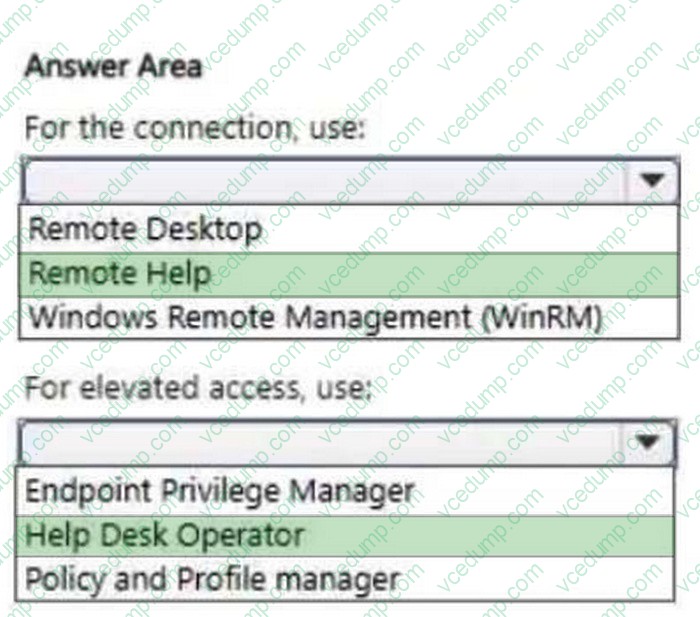
1. Administrators must use a secure connection over a shared screen session to perform remote tasks on a user's device.
2. Administrators must have elevated access to perform remote tasks on a user's device.
3. The solution must follow the principle of least privilege.
What should you include in the recommendation for each requirement? To answer, select the appropriate options in the answer area.
NOTE: Each correct selection is worth one point.
-
Question 135:
You have two computers named Computer1 and Computer2 that run Windows 10. Computer2 has Remote Desktop enabled.
From Computer1, you connect to Computer2 by using Remote Desktop Connection.
You need to ensure that you can access the local drives on Computer1 from within the Remote Desktop session.
What should you do?
A. From Computer2, configure the Remote Desktop settings.
B. From Windows Defender Firewall on Computer1, allow Remote Desktop.
C. From Windows Defender Firewall on Computer2, allow File and Printer Sharing.
D. From Computer1, configure the Remote Desktop Connection settings. -
Question 136:
HOTSPOT
You have a Microsoft 365 E5 subscription that contains two devices named Device1 and Device2.
You manage the devices by using Microsoft Intune.
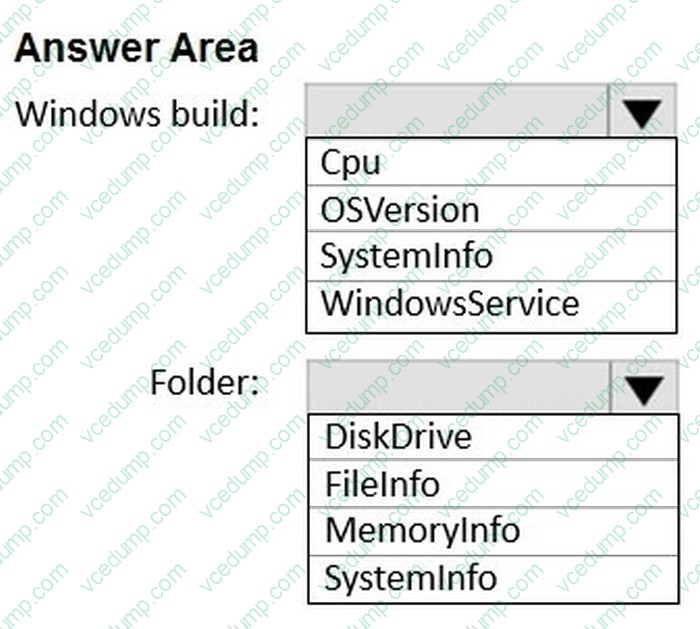
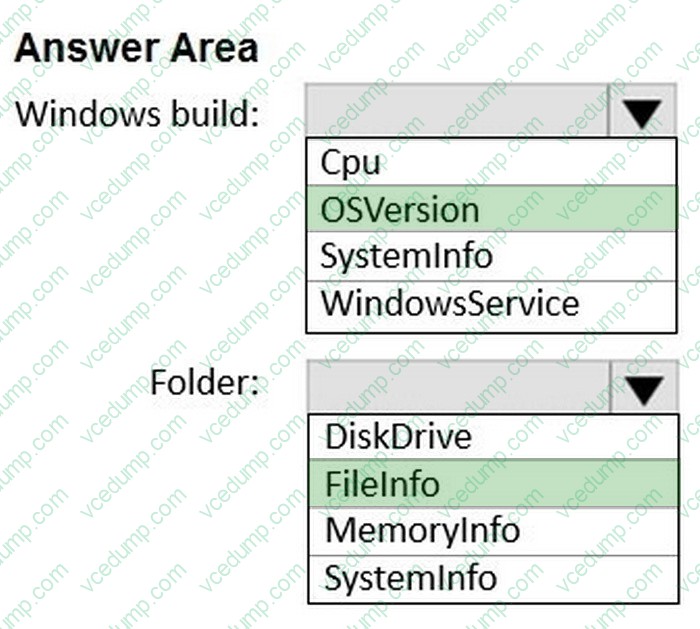
You need to use Device query to meet the following requirements:
1. Identify the Windows build on a device.
2. Validate whether a folder exists on the C drive of a device.
Which table should you target for each requirement? To answer, select the appropriate options in the answer area.
NOTE: Each correct selection is worth one point.
-
Question 137:
You have a Microsoft Entra tenant named contoso.com that contains a group named Contoso Help Desk.
You need to ensure that Contoso Help Desk is added to the local Administrators group whenever a Windows device is joined to contoso.com.
What should you do?
A. Assign the Cloud Device Administrator role to Contoso Help Desk.
B. Assign the Microsoft Entra Joined Device Local Administrator role to Contoso Help Desk.
C. Configure the Enterprise State Roaming settings.
D. Enable Microsoft Entra Local Administrator Password Solution (LAPS) for contoso.com. -
Question 138:
HOTSPOT
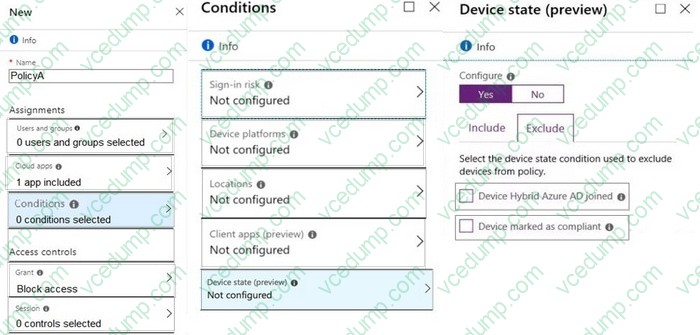
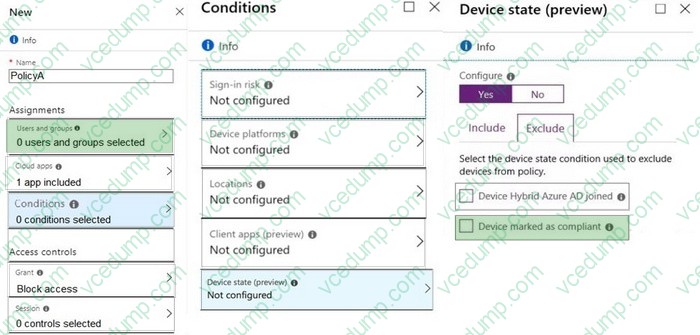
You need a new conditional access policy that has an assignment for Office 365 Exchange Online.
You need to configure the policy to meet the technical requirements for Group4.
Which two settings should you configure in the policy? To answer, select the appropriate settings in the answer area.
NOTE: Each correct selection is worth one point.
-
Question 139:
Your network contains an Active Directory domain. The domain contains 10 computers that run Windows 10. Users in the finance department use the computers.
You have a computer named Computer1 that runs Windows 10.
From Computer1, you plan to run a script that executes Windows PowerShell commands on the finance department computers.
You need to ensure that you can run the PowerShell commands on the finance department computers from Computer.
What should you do on the finance department computers?
A. From Windows PowerShell, run the Enable-MMAgent cmdlet.
B. From the local Group Policy, enable the Allow Remote Shell Access setting.
C. From Windows PowerShell, run the Enable-PSRemoting cmdlet.
D. From the local Group Policy, enable the Turn on Script Execution setting. -
Question 140:
You have a Microsoft Azure subscription that contains an Azure Log Analytics workspace.
You deploy a new computer named Computer1 that runs Windows 10. Computer1 is in a workgroup.
You need to ensure that you can use Log Analytics to query events from Computer1.
What should you do on Computer1?
A. Join Azure AD.
B. Configure Windows Defender Firewall.
C. Create an event subscription
D. Install the Azure Monitor Agent.
Related Exams:
-
62-193
Technology Literacy for Educators -
70-243
Administering and Deploying System Center 2012 Configuration Manager -
70-355
Universal Windows Platform – App Data, Services, and Coding Patterns -
77-420
Excel 2013 -
77-427
Excel 2013 Expert Part One -
77-725
Word 2016 Core Document Creation, Collaboration and Communication -
77-726
Word 2016 Expert Creating Documents for Effective Communication -
77-727
Excel 2016 Core Data Analysis, Manipulation, and Presentation -
77-728
Excel 2016 Expert: Interpreting Data for Insights -
77-731
Outlook 2016 Core Communication, Collaboration and Email Skills
Tips on How to Prepare for the Exams
Nowadays, the certification exams become more and more important and required by more and more enterprises when applying for a job. But how to prepare for the exam effectively? How to prepare for the exam in a short time with less efforts? How to get a ideal result and how to find the most reliable resources? Here on Vcedump.com, you will find all the answers. Vcedump.com provide not only Microsoft exam questions, answers and explanations but also complete assistance on your exam preparation and certification application. If you are confused on your MD-102 exam preparations and Microsoft certification application, do not hesitate to visit our Vcedump.com to find your solutions here.