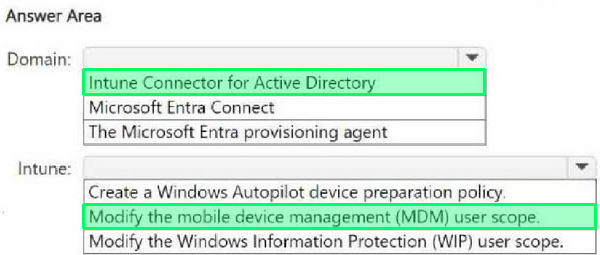
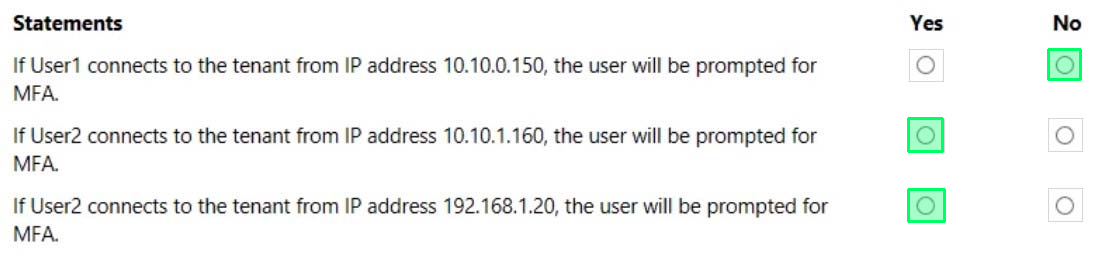
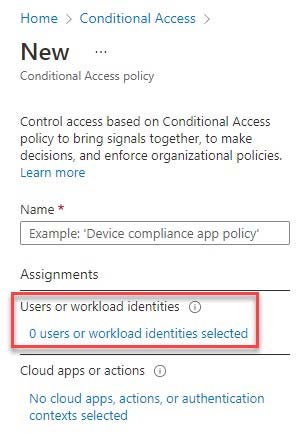
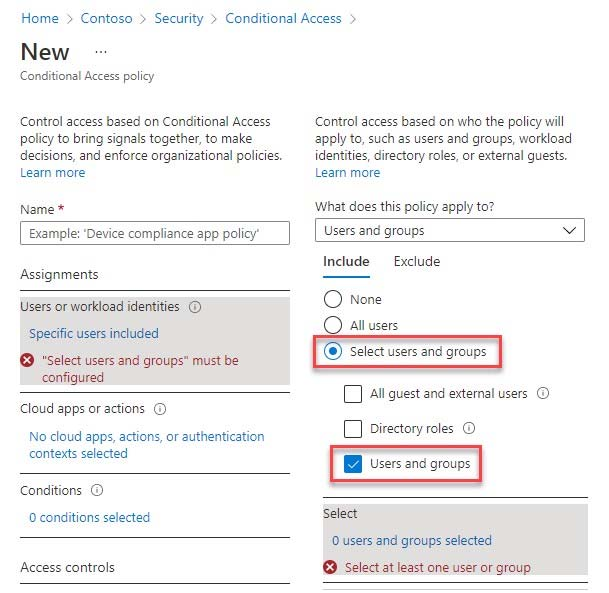
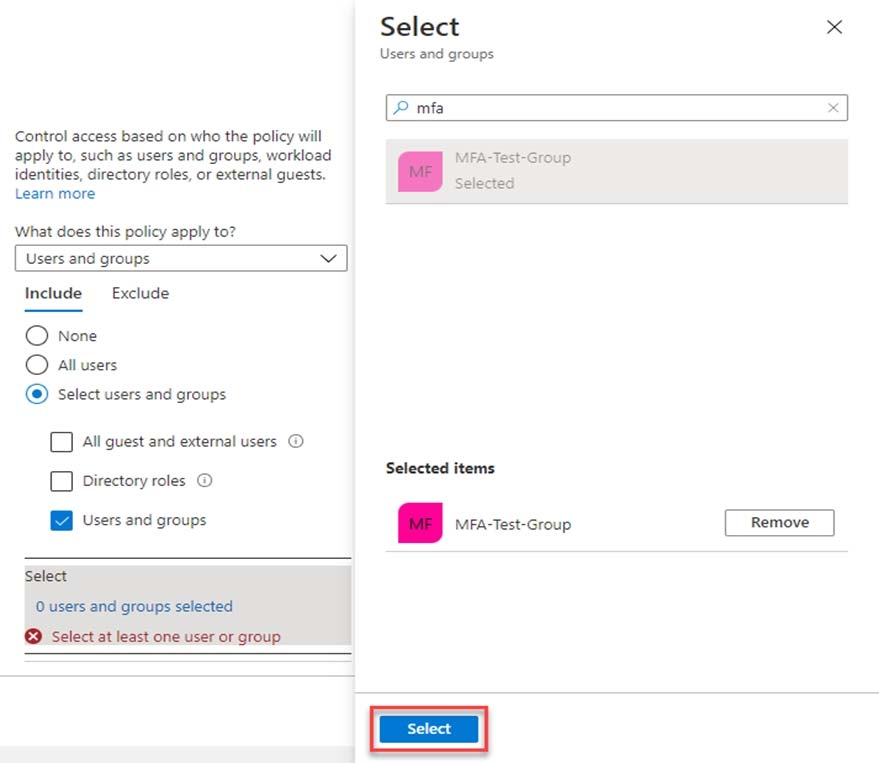
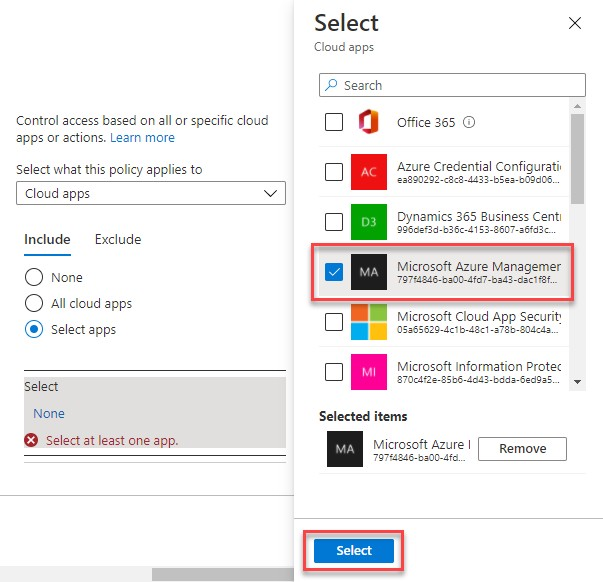
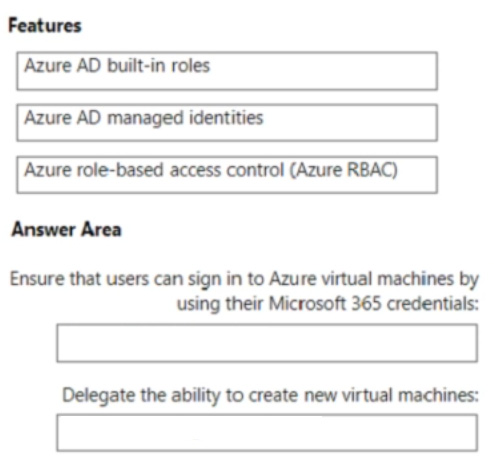
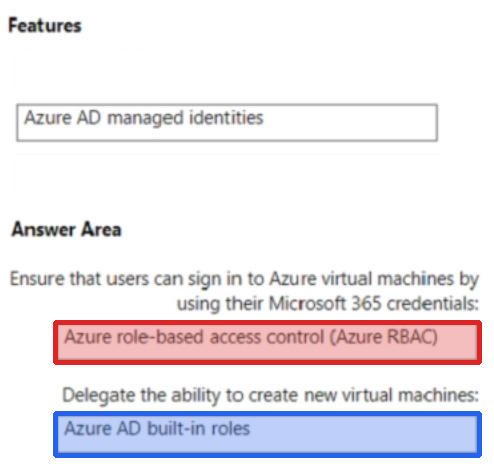
You need to support the planned changes and meet the technical requirements for MFA.
Which feature should you use, and how long before the users must complete the registration? To answer, select the appropriate options in the answer area.
NOTE: Each correct selection is worth one point.
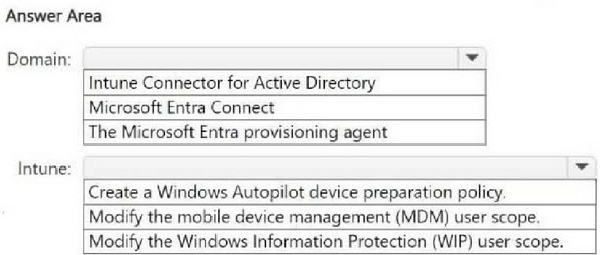
Question 4:
You have a Microsoft Entra tenant.
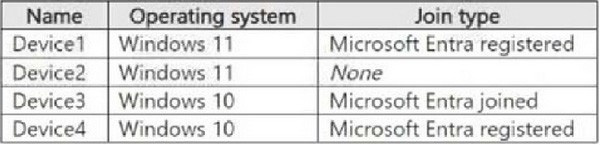
You have the devices shown in the following table.
You configure Microsoft Entra Internet Access for the tenant.
On which devices can you use Global Secure Access?
A. Device1 only B. Device3 only C. Device1 and Device2 only D. Device1, Device3, and Device4 only E. Device1, Device2, Device3, and Device4
B. Device3 only
Explanation
Global Secure Access client for Microsoft Windows The Global Secure Access client, an essential component of Global Secure Access, helps organizations manage and secure network traffic on end-user devices. The client's main role is to route traffic that needs to be secured by Global Secure Access to the cloud service.
Prerequisites:
1. A Microsoft Entra tenant onboarded to Global Secure Access.
2. A managed device joined to the onboarded tenant. The device must be either Microsoft Entra joined or Microsoft Entra hybrid joined. [Device3] 3. Microsoft Entra registered devices aren't supported. [Not Device1, not Device4]
4. The Global Secure Access client requires a 64-bit version of Windows 10 or Windows 11
You need to ensure that high-risk sign-ins trigger additional verification without blocking access.
What should you configure?
A. Conditional Access with MFA requirement B. Identity Protection sign-in risk policy C. Access reviews D. Authentication methods policy
B. Identity Protection sign-in risk policy
Explanation
Identity Protection sign-in risk policies can require MFA for risky sign-ins without blocking access, enabling remediation.
Question 6:
HOTSPOT
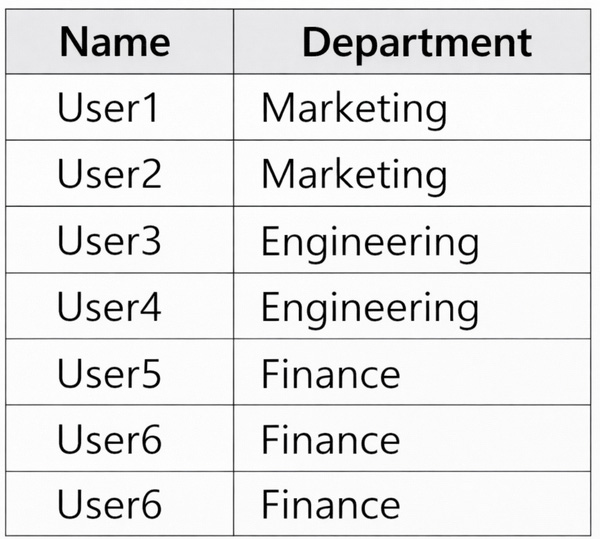
You have an Azure subscription named Sub1 that is linked to a Microsoft Entra tenant. The tenant contains the users shown in the following table.
Sub1 contains a resource group named RG1.
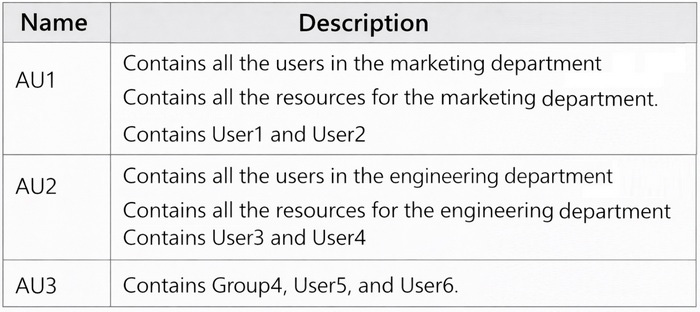
The tenant contains the groups shown in the following table.
You deploy a virtual machine named VM1 to RG1. VM1 runs Windows Server and has Microsoft Entra login enabled.
For each of the following statements, select Yes if the statement is true. Otherwise, select No.
NOTE: Each correct selection is worth one point.
User1 can sign in to VM1 - Yes User2 can sign in to VM1 - Yes User3 can sign in to VM1 - Yes
Key Information:
Users and Group Memberships: User1 is a member of Group1. User2 is a member of Group2. User3 is a member of Group3.
Group Roles and Scope:
Group1: Virtual Machine Local User Login role assigned at the subscription level (Sub1). This role allows members to log in to any VM within Sub1 with local user permissions.
Group2: Virtual Machine User Login role assigned at the resource group level (RG1). This role allows members to log in to any VM within RG1 with standard user permissions.
Group3: Virtual Machine Contributor role assigned at the VM level (VM1). This role provides both sign-in and contributor permissions specifically for VM1.
Statement Analysis:
User1 can sign in to VM1 -
Yes: User1 is a member of Group1, which has the Virtual Machine Local User Login role at the subscription level (Sub1). Since VM1 is within Sub1, User1 can sign in to VM1.
User2 can sign in to VM1 -
Yes: User2 is a member of Group2, which has the Virtual Machine User Login role at the resource group level (RG1). Since VM1 is within RG1, User2 can sign in to VM1 with standard user permissions.
User3 can sign in to VM1 -
Yes: User3 is a member of Group3, which has the Virtual Machine Contributor role assigned specifically to VM1. This role allows User3 to both manage and sign in to VM1.
Question 7:
You have an Azure AD tenant and a .NET web app named App1.
You need to register App1 for Azure AD authentication.
What should you configure for App1?
A. the executable name B. the bundle ID C. the package name D. the redirect URI
D. the redirect URI
Question 8:
SIMULATION
You need to ensure that all users can consent to apps that require permission to read their user profile. Users must be prevented from consenting to apps that require any other permissions.
A. See the Explanation Below B. PlaceHolder C. PlaceHolder D. PlaceHolder
A. See the Explanation Below
Explanation
To ensure that all users can consent to apps that require permission to read their user profile and prevent them from consenting to apps that require any other permissions, you can configure the user consent settings in the Microsoft Entra admin center. Here's how you can do it:
1. Sign in as a
Global Administrator:
2. uk.co.certification.simulator.questionpool.PList@60ecdd90 3. Navigate to user consent settings:
4. Configure the consent settings:
5. Save the settings:
By following these steps, you will have configured the system to allow user consent for apps that need to read the user profile while blocking consent for apps that require additional permissions. This setup helps maintain user autonomy where appropriate while safeguarding against unauthorized access to broader permissions.
Question 9:
You need implement the planned changes for application access to organizational data.
What should you configure?
A. authentication methods B. the User consent settings C. access packages D. an application proxy
D. an application proxy
Question 10:
You have an Azure subscription. The subscription contains 50 virtual machines that run Windows Server and have Login with Microsoft Entra ID enabled.
Users report that they cannot sign in to the virtual machines by using their Microsoft Entra credentials.
You need to ensure that the users can sign in to the virtual machines.
What should you do first?
A. From the Microsoft Entra admin center, delete the device registrations of the virtual machines. B. Revoke the primary refresh token. C. Enable SSH client support for OpenSSH. D. Ensure that the virtual machines can access https://enterpriseregistration.windows.net.
D. Ensure that the virtual machines can access https://enterpriseregistration.windows.net.
Explanation
When enabling Microsoft Entra login for Windows Server VMs, it's crucial that the VMs can communicate with specific Microsoft Entra endpoints to complete device registration and authentication processes. The endpoint
https://enterpriseregistration.windows.net
is essential for device registration. If the VMs cannot access this endpoint, the registration process will fail, preventing users from signing in with their Microsoft Entra credentials.
Nowadays, the certification exams become more and more important and required by more and more
enterprises when applying for a job. But how to prepare for the exam effectively? How to prepare
for the exam in a short time with less efforts? How to get a ideal result and how to find the
most reliable resources? Here on Vcedump.com, you will find all the answers.
Vcedump.com provide not only Microsoft exam questions,
answers and explanations but also complete assistance on your exam preparation and certification
application. If you are confused on your SC-300 exam preparations
and Microsoft certification application, do not hesitate to visit our
Vcedump.com to find your solutions here.