HOTSPOT
You have a Microsoft 365 E5 tenant that contains two users named User1 and User2 and the groups shown in the following table.
You have a Microsoft Intune enrollment policy that has the following settings:
MDM user scope: Some
uk.co.certification.simulator.questionpool.PList@1b5b2df0 MAM user scope: Some uk.co.certification.simulator.questionpool.PList@1b5b2e60
You purchase the devices shown in the following table. For each of the following statements, select Yes if the statement is true. Otherwise, select No.
NOTE: Each correct selection is worth one point.
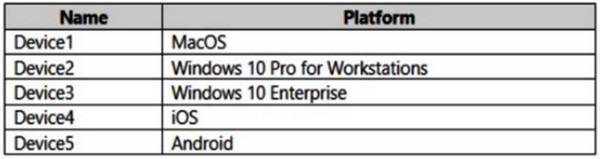
You have a Microsoft 365 E5 subscription and use Microsoft Purview. The subscription contains the devices shown in the following table.

All the devices are onboarded to Microsoft Defender for Endpoint. You plan to deploy Endpoint data loss prevention (Endpoint DLP) policies.
Which devices can be protected by using the DLP policies?
A. Device1 onlyHOTSPOT
You have a Microsoft 365 E5 subscription.
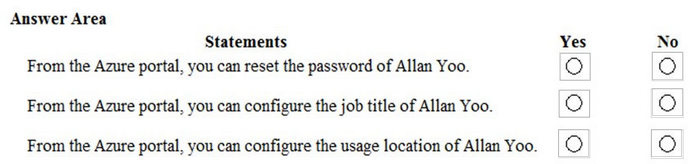
You have an Azure AD tenant named contoso.com that contains the following users:
Contoso.com contains an administrative unit named AIM that has no role assignments. User1 is a member of AU1.
You create an administrative unit named AU2 that does NOT have any members or role assignments.
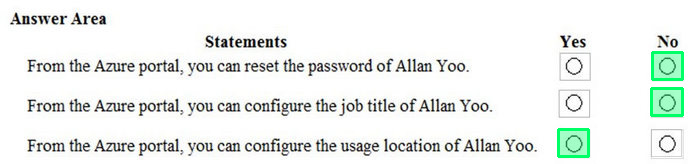
For each of the following statements, select Yes if the statement is true. Otherwise, select No.
NOTE: Each correct selection is worth one point.

Your network contains an on-premises Active Directory domain named contoso.com. The domain contains the users shown in the following table.

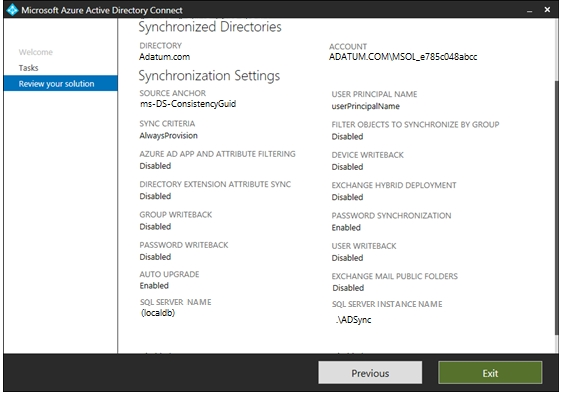
The domain syncs to an Azure AD tenant named contoso.com as shown in the exhibit. (Click the Exhibit tab.)

User2 fails to authenticate to Azure AD when signing in as [email protected].
You need to ensure that User2 can access the resources in Azure AD.
Solution: From the Microsoft Entra admin center, you assign User2 the Security Reader role. You instruct User2 to sign in as [email protected].
Does this meet the goal?
A. YesHOTSPOT
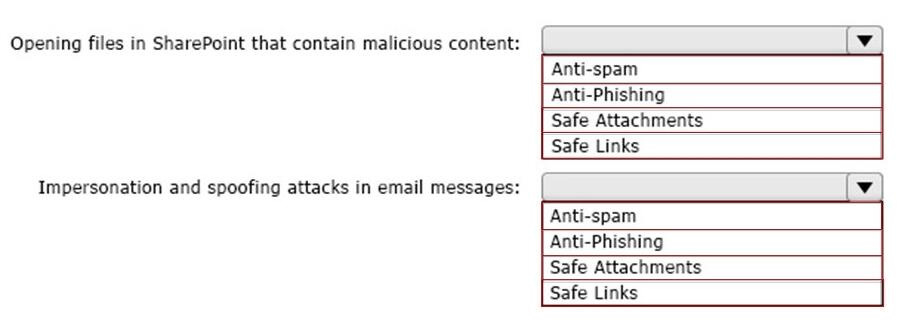
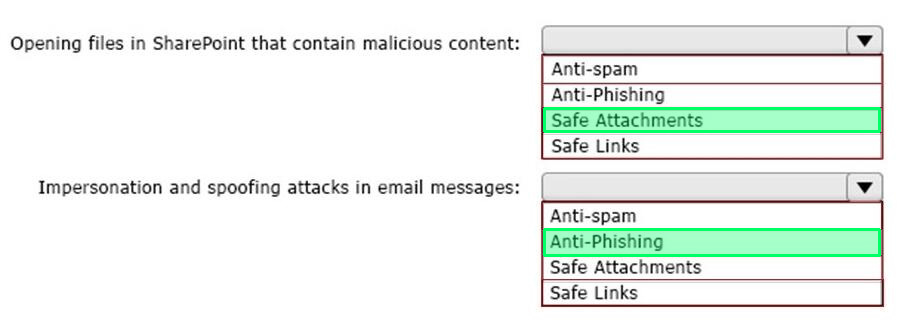
You configure a data loss prevention (DLP) policy named DLP1 as shown in the following exhibit.

Use the drop-down menus to select the answer choice that completes each statement based on the information presented in the graphic.
NOTE: Each correct selection is worth one point.

You have a Microsoft 365 E5 subscription that contains a user named User1.
User1 exceeds the default daily limit of allowed email messages and is on the Restricted entities list.
You need to remove User1 from the Restricted entities list.
What should you use?
A. the Exchange admin centerYou have a Microsoft 365 E5 tenant that contains four devices enrolled in Microsoft Intune as shown in the following table.

You plan to deploy Microsoft 365 Apps for enterprise by using Microsoft Endpoint Manager.
To which devices can you deploy Microsoft 365 Apps for enterprise?
A. Device1 onlyHOTSPOT
As of March, how long will the computers in each office remain supported by Microsoft? To answer, select the appropriate options in the answer area.
NOTE: Each correct selection is worth one point.

Note: This question is part of a series of questions that present the same scenario. Each question in the series contains a unique solution that might meet the stated goals. Some question sets might have more than one correct solution, while others might not have a correct solution.
After you answer a question in this section, you will NOT be able to return to it. As a result, these questions will not appear in the review screen.
Your network contains an Active Directory domain.
You deploy an Azure AD tenant.
Another administrator configures the domain to synchronize to Azure AD.
You discover that 10 user accounts in an organizational unit (OU) are NOT synchronized to Azure AD. All the other user accounts synchronized successfully.
You review Azure AD Connect Health and discover that all the user account synchronizations completed successfully.
You need to ensure that the 10 user accounts are synchronized to Azure AD.
Solution: You run idfix.exe and export the 10 user accounts.
Does this meet the goal?
A. YesHOTSPOT
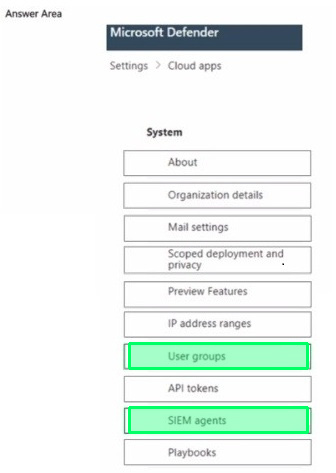
You have a Microsoft 365 E5 subscription.
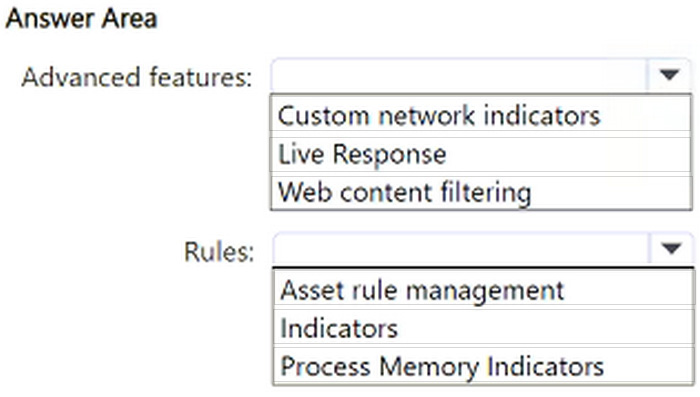
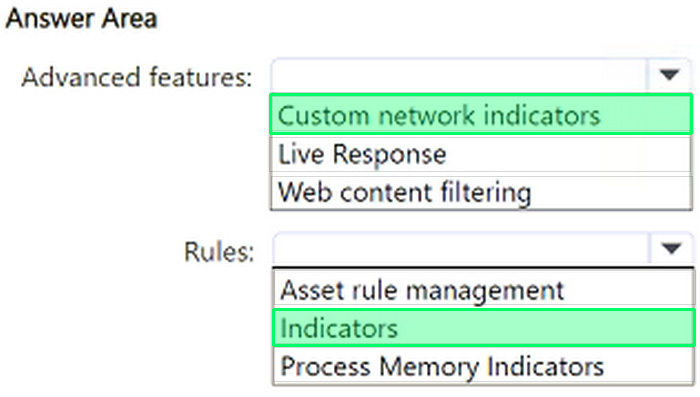
You need to configure threat protection for Microsoft 365 to meet the following requirements:
1. Limit a user named User1 from sending more than 30 email messages per day.
2. Prevent the delivery of a specific file based on the file hash.
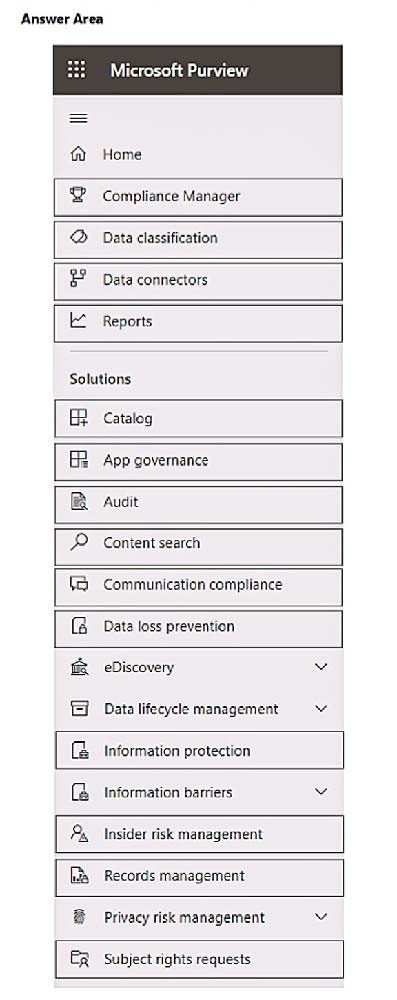
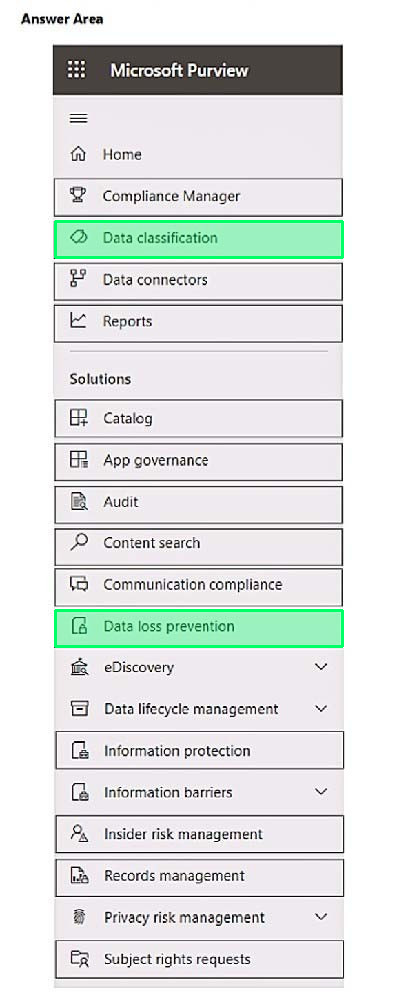
Which two threat policies should you configure in Microsoft Defender for Office 365? To answer, select the appropriate threat policies in the answer area.
NOTE: Each correct selection is worth one point.

Nowadays, the certification exams become more and more important and required by more and more enterprises when applying for a job. But how to prepare for the exam effectively? How to prepare for the exam in a short time with less efforts? How to get a ideal result and how to find the most reliable resources? Here on Vcedump.com, you will find all the answers. Vcedump.com provide not only Microsoft exam questions, answers and explanations but also complete assistance on your exam preparation and certification application. If you are confused on your MS-102 exam preparations and Microsoft certification application, do not hesitate to visit our Vcedump.com to find your solutions here.