Before you can use Apple Remote Desktop to manage an OS X computer, what must you do on the client computer?
Show answer and explanation
Correct answer: D
9L0-418 Real Exam Questions
50 questions available · Page 1 of 5
Updated Exam DumpsVerified AnswersPass Guarantee
Before you can use Apple Remote Desktop to manage an OS X computer, what must you do on the client computer?
Correct answer: D
Review the screenshot, then answer the question below.
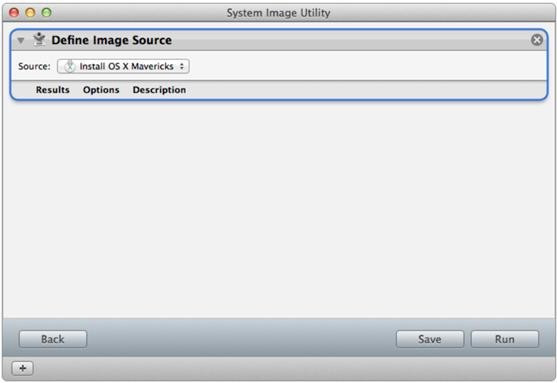
You're configuring a NetInstall image.
Before you can build this image, which Automator action must you add to the workflow?
Correct answer: C
How can you configure an unmanaged OS X computer to retrieve software updates from a software update server at updates.pretendcom?
Correct answer: D
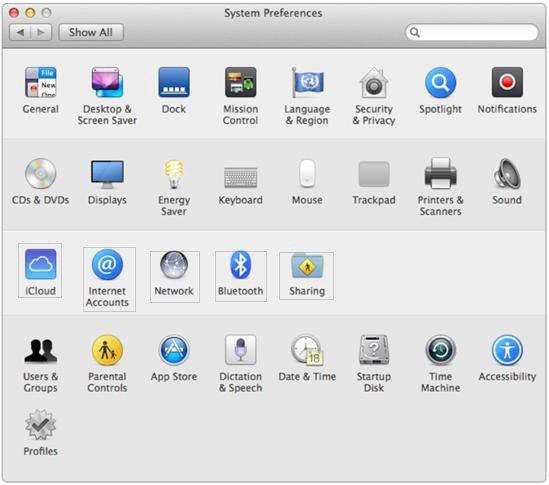
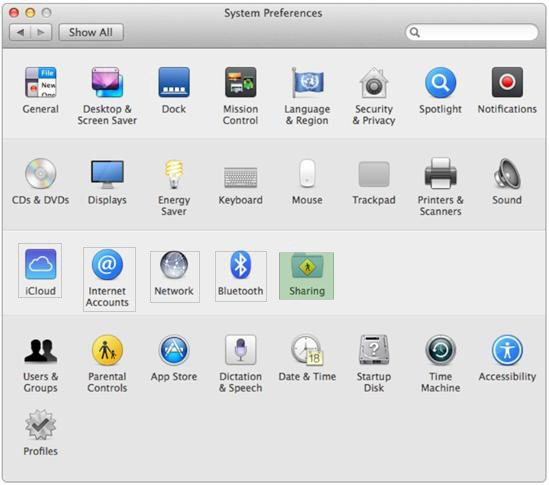
HOTSPOT
In the screenshot below, click the icon in the System Preferences pane where you can configure an OS X computer to be managed by Apple Remote Desktop.
Which of these can you use to match an enrolled computer to a device placeholder in Profile Manager?
Correct answer: A
You have a USB flash drive connected to a Mavericks computer that has the OS X Mavericks Installer app downloaded.
Which of these steps should you perform to make the flash drive a bootable installer volume?
Correct answer: A
Review the screenshot, then answer the question below.
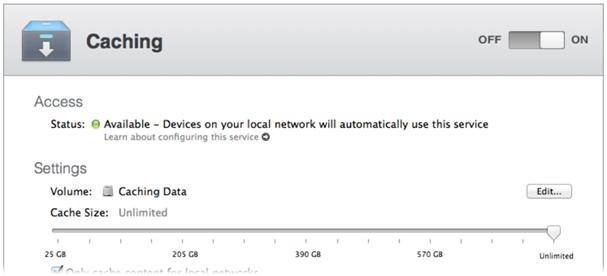
You have configured the Caching service as shown in the screenshot. The Caching Data volume's size is 750GB. It will store data only for the Caching service.
Correct answer: E
What's the file extension for a configuration profile?
Correct answer: B
Which profile type can you use to configure a computer to join a specified directory server?
Correct answer: A
Previously, you used a keyboard shortcut to get your computer to boot from a default image on a NetInstall server. Recently, the administrator selected a different image as the default NetInstall image.
What key(s) should you press during startup to force your computer to boot from the new default image?
Correct answer: D