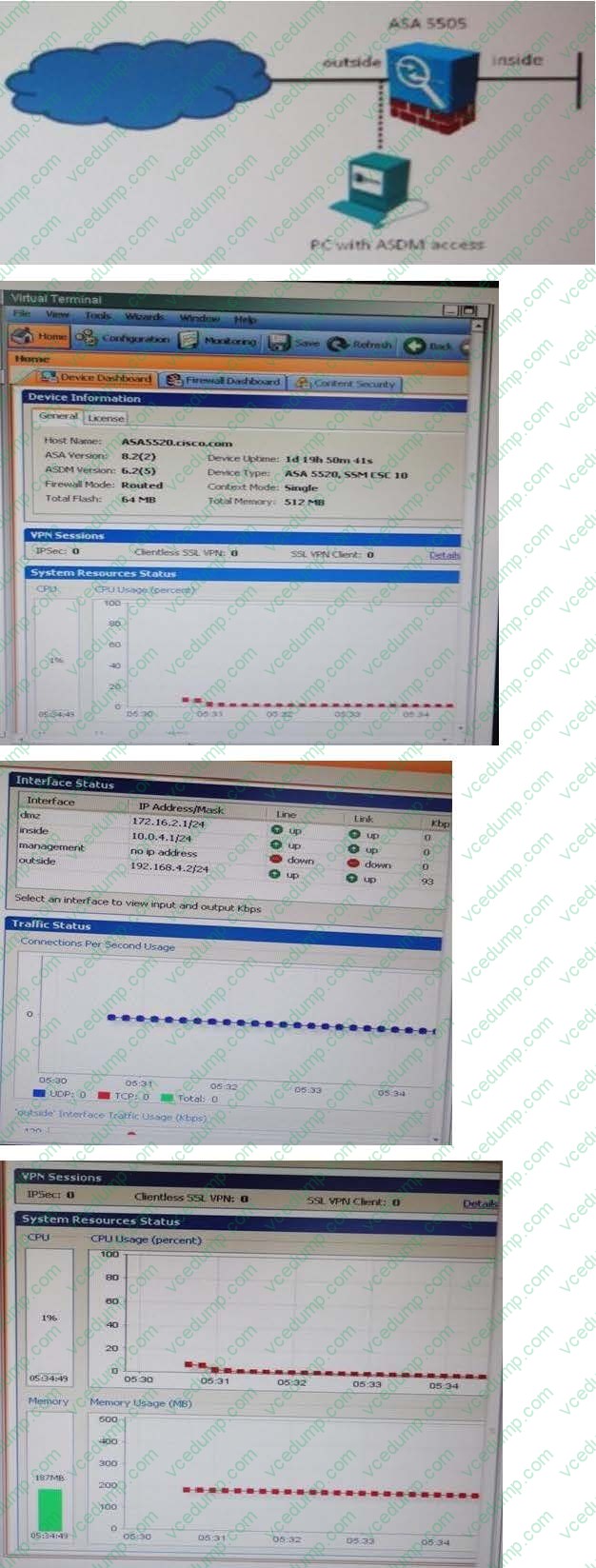
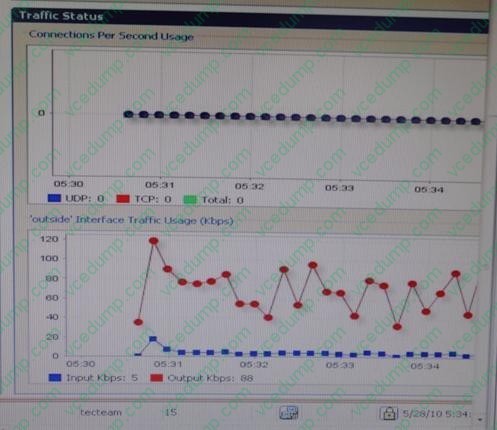
Instructions This item contains a simulation task. Refer to the scenario and topology before you start. When you are ready, open the Topology window and click the required device to open the GUI window on a virtual terminal. Scroll to view all parts of the Cisco ASDM screens.
Scenario Click the PC icon to launch Cisco ASDM. You have access to a Cisco ASA 5505 via Cisco ASDM. Use Cisco ASDM to edit the Cisco ASA 5505 configurations to enable Advanced HTTP Application inspection by completing the following tasks:
1.
2.
A. Enable the dropping of any HTTP connections that encounter HTTP protocol violations
B. Enable the dropping and logging of any HTTP connections when the content type in the HTTP response does not match one of the MIME types in the accept filed of the HTTP request Note: In the simulation, you will not be able to test the HTTP inspection policy after you complete your configuration. Not all Cisco ASDM screens are fully functional.
After you complete the configuration, you do not need to save the running configuration to the start-up config, you will not be able to test the HTTP inspection policy that is created after you complete your configuration. Also not all the ASDM screens are filly functional.
Check the answer below
1.>Go to Configuration>>Firewall>>Objects>>Inspect Maps>>HTTP>>Add>>Add name "http- inspect-map">>click on detail>>
a.
select "check for protocol violations"
b.
Action: Drop connection
c.
Log: Enable
d.
Click on Inspection: Click Add
e.
Select Single Match>>Match type: No Match
f.
Criterion: response header field
g.
Field: Predefined: Content type
h.
value: Content type
i.
Action: Drop connection
j.
Log: Enable
h.
ok>>>ok>>>Apply HTTP inspection is disabled in global policy by default - we need to enable and use this Inspect Map Achieve this through command line: policy-map type inspect http http-inspect-map parameters protocol-violation action drop-connection match req-resp content-type mismatch drop-connection log policy-map global_policy class inspaection_default inspect http http-inspect-map also you have to edit the global policy to apply this inspection into it. Add/Edit HTTP Map The Add/Edit HTTP Map dialog box is accessible as follows: Configuration > Global Objects > Inspect Maps > HTTP > HTTP Inspect Map > Advanced View > Add/Edit HTTP Inspect The Add/Edit HTTP Inspect dialog box lets you define the match criterion and value for the HTTP inspect map.
Fields
ꞏSingle Match--Specifies that the HTTP inspect has only one match statement. ꞏMatch Type--Specifies whether traffic should match or not match the values. For example, if No Match is selected on the string "example.com," then any traffic
that contains "example.com" is excluded from the class map.
ꞏCriterion--Specifies which criterion of HTTP traffic to match. Request/Response Content Type Mismatch--Specifies that the content type in the response must match one of the MIME types in the accept field of the request. Request
Arguments--Applies the regular expression match to the arguments of the request.
Regular Expression--Lists the defined regular expressions to match. Manage--Opens the Manage Regular Expressions dialog box, which lets you configure regular expressions.
Regular Expression Class--Lists the defined regular expression classes to match. Manage--Opens the Manage Regular Expression Class dialog box, which lets you configure regular expression class maps.
Request Body Length--Applies the regular expression match to the body of the request with field length greater than the bytes specified.
Greater Than Length--Enter a field length value in bytes that request field lengths will be matched against.
Request Body--Applies the regular expression match to the body of the request. Regular Expression--Lists the defined regular expressions to match. Manage-Opens the Manage Regular Expressions dialog box, which lets you configure regular expressions.
Regular Expression Class--Lists the defined regular expression classes to match. Manage--Opens the Manage Regular Expression Class dialog box, which lets configure regular expression class maps.
Request Header Field Count--Applies the regular expression match to the header of the request with a maximum number of header fields.
Predefined--Specifies the request header fields: accept, accept-charset, accept-encoding, accept-language, allow, authorization, cache-control, connection, content-encoding, content- language, content-length, contentlocation, content-md5,
content-range, content-type, cookie, date, expect, expires, from, host, if-match, ifmodified- since, if-none-match, if-range, if- unmodified-since, last-modified, max-forwards, pragma, proxyauthorization, range, referer, te, trailer,
transferencoding, upgrade, user-agent, via, warning. Regular Expression--Lists the defined regular expressions to match. Manage--Opens the Manage Regular
Expressions dialog box, which lets you configure regular expressions.
Greater Than Count--Enter the maximum number of header fields. Request Header Field Length--Applies the regular expression match to the header of the request with field length greater than the bytes specified. Predefined--Specifies the
request header fields: accept, accept-charset, accept-encoding, accept language, allow, authorization, cache-control, connection, content-encoding, content- language, content-length, contentlocation,
content-md5, content-range, content-type, cookie, date, expect, expires, from, host, if-match, ifmodified- since, if-none-match, if-range, if-unmodified-since, lastmodified, max-forwards, pragma, proxyauthorization,
range, referer, te, trailer, transfer-encoding, upgrade, user-agent, via, warning. Regular Expression--Lists the defined regular expressions to match. Manage-Opens the Manage Regular Expressions dialog box, which lets you configure regular expressions.
Greater Than Length--Enter a field length value in bytes that request field lengths will be matched against.
Request Header Field--Applies the regular expression match to the header of the request. Predefined--Specifies the request header fields: accept, accept-charset, accept-encoding, accept-language, allow, authorization, cache-control,
connection, content-encoding, content- language, content-length, contentlocation, contentmd5, content-range, content-type, cookie, date, expect, expires, from, host, if-match, ifmodified-since, if-none-match, if-range, if- unmodified-since, last-
modified, max-forwards, pragma, proxyauthorization, range, referer, te, trailer, transfer-encoding, upgrade, user-agent, via, warning. Regular Expression--Lists the defined regular expressions to match. Manage--Opens the Manage Regular
Expressions dialog box, which lets you configure regular expressions.
Regular Expression Class--Lists the defined regular expression classes to match. Manage--Opens the Manage Regular Expression Class dialog box, which lets you configure regular expression class maps.
Request Header Count--Applies the regular expression match to the header of the request with a maximum number of headers.
Greater Than Count--Enter the maximum number of headers. Request Header Length--Applies the regular expression match to the header of the request with length greater than the bytes specified.
Greater Than Length--Enter a header length value in bytes. Request Header non-ASCII--Matches non-ASCII characters in the header of the request. Request Method--Applies the regular expression match to the method of the request.
Method--Specifies to match on a request method: bcopy, bdelete, bmove, bpropfind, bproppatch, connect, copy, delete, edit, get, getattribute, getattributenames, getproperties, head, index, lock, mkcol, mkdir, move, notify, options, poll, post,
propfind, proppatch, put, revadd, revlabel, revlog, revnum, save, search, setattribute, startrev, stoprev, subscribe, trace, unedit, unlock, unsubscribe.
Regular Expression--Specifies to match on a regular expression. Regular Expression--Lists the defined regular expressions to match. Manage--Opens the Manage Regular Expressions dialog box, which lets you configure regular
expressions.
Regular Expression Class--Lists the defined regular expression classes to match. Manage--Opens the Manage Regular Expression Class dialog box, which lets you configure regular expression class maps.
Request URI Length--Applies the regular expression match to the URI of the request with length greater than the bytes specified.
Greater Than Length--Enter a URI length value in bytes. Request URI--Applies the regular expression match to the URI of the request. Regular Expression--Lists the defined regular expressions to match. Manage--Opens the Manage Regular
Expressions dialog box, which lets you configure regular expressions.
Regular Expression Class--Lists the defined regular expression classes to match. Manage--Opens the Manage Regular Expression Class dialog box, which lets you configure regular expression class maps.
Response Body--Applies the regex match to the body of the response.
ActiveX--Specifies to match on ActiveX.
Java Applet--Specifies to match on a Java Applet.
Regular Expression--Specifies to match on a regular expression. Regular Expression--Lists the defined regular expressions to match. Manage--Opens the Manage Regular Expressions dialog box, which lets you configure regular
expressions.
Regular Expression Class--Lists the defined regular expression classes to match. Manage--Opens the Manage Regular Expression Class dialog box, which lets you configure regular expression class maps.
Response Body Length--Applies the regular expression match to the body of the response with field length greater than the bytes specified.
Greater Than Length--Enter a field length value in bytes that response field lengths will be matched against.
Response Header Field Count--Applies the regular expression match to the header of the response with a maximum number of header fields.
Predefined--Specifies the response header fields: accept-ranges, age, allow, cache-control, connection, content-encoding, content-language, content-length, content-location, content- md5, content-range, contenttype, date, etag, expires, last-
modified, location, pragma, proxy- authenticate, retry-after, server, set-cookie, trailer, transfer-encoding, upgrade, vary, via, warning, www-authenticate.
Regular Expression--Lists the defined regular expressions to match. Manage--Opens the Manage Regular Expressions dialog box, which lets you configure regular expressions.
Greater Than Count--Enter the maximum number of header fields. Response Header Field Length--Applies the regular expression match to the header of the response with field length greater than the bytes specified. Predefined--Specifies
the response header fields: accept-ranges, age, allow, cache-control, connection, content-encoding, content-language, content-length, content-location, content- md5, content-range, contenttype, date, etag, expires, last-modified, location,
pragma, proxy- authenticate, retry-after, server, set-cookie, trailer, transfer-encoding, upgrade, vary, via, warning, www-authenticate.
Regular Expression--Lists the defined regular expressions to match. Manage--Opens the Manage Regular Expressions dialog box, which lets you configure regular expressions.
Greater Than Length--Enter a field length value in bytes that response field lengths will be matched against.
Response Header Field--Applies the regular expression match to the header of the response. Predefined--Specifies the response header fields: accept-ranges, age, allow, cache-control, connection, content-encoding, content-language,
content-length, content-location, content- md5, content-range, contenttype, date, etag, expires, last-modified, location, pragma, proxy- authenticate, retry-after, server, set-cookie, trailer, transfer-encoding, upgrade, vary, via, warning,
wwwauthenticate.
Regular Expression--Lists the defined regular expressions to match. Manage--Opens the Manage Regular Expressions dialog box, which lets you configure regular expressions.
Regular Expression Class--Lists the defined regular expression classes to match. Manage--Opens the Manage Regular Expression Class dialog box, which lets you configure regular expression class maps.
Response Header Count--Applies the regular expression match to the header of the response with a maximum number of headers.
Greater Than Count--Enter the maximum number of headers. Response Header Length--Applies the regular expression match to the header of the response with length greater than the bytes specified.
Greater Than Length--Enter a header length value in bytes. Response Header non-ASCII--Matches non-ASCII characters in the header of the response. - Response Status Line--Applies the regular expression match to the status line. Regular
Expression--Lists the defined regular expressions to match. Manage-Opens the Manage Regular Expressions dialog box, which lets you configure regular expressions.
Regular Expression Class--Lists the defined regular expression classes to match. Manage--Opens the Manage Regular Expression Class dialog box, which lets you configure regular
expression class maps.
ꞏMultiple Matches--Specifies multiple matches for the HTTP inspection. H323 Traffic Class--Specifies the HTTP traffic class match. Manage--Opens the Manage HTTP Class Maps dialog box to add, edit, or delete HTTP Class Maps.
ꞏAction--Drop connection, reset, or log.
ꞏLog--Enable or disable.
NOTE:
http://www.cisco.com/en/US/docs/security/asa/asa83/asdm63/configuration_guide/inspect_b asic.html#wp1144259and/or
http://www.cisco.com/en/US/products/ps6120/products_tech_note09186a0080b84568.shtml
Through achieve this command line: policy-map type inspect http http-inspect-map parameters protocol-violation action drop-connection log policy-map type inspect http http-inspect-map match not response header content-type application/msword drop-connection log