Simulation
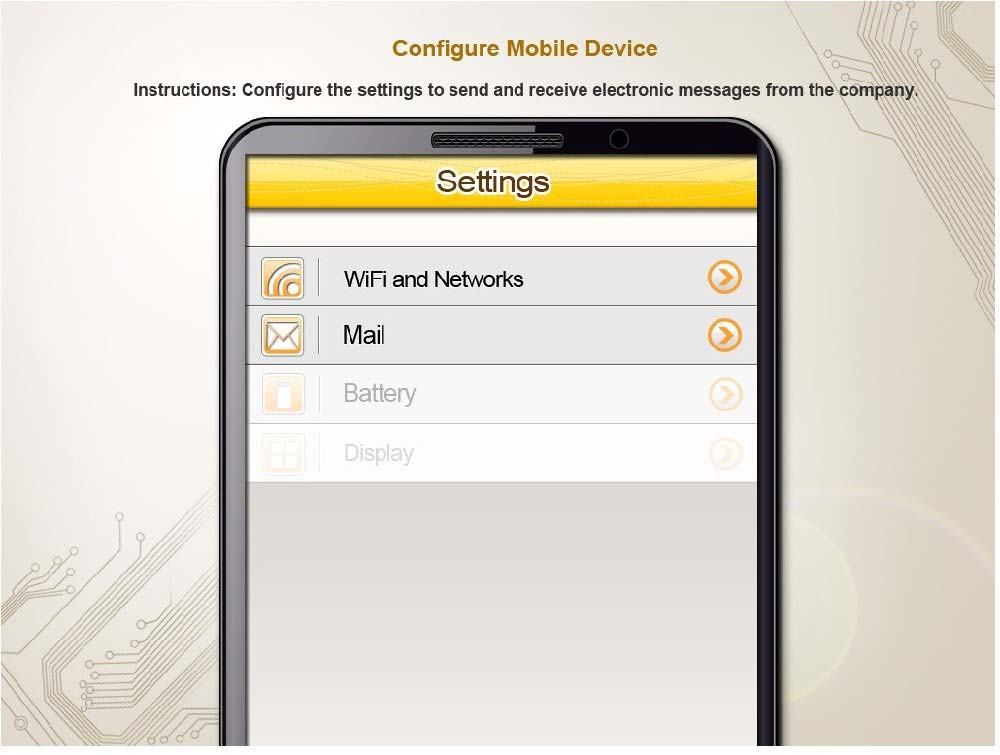
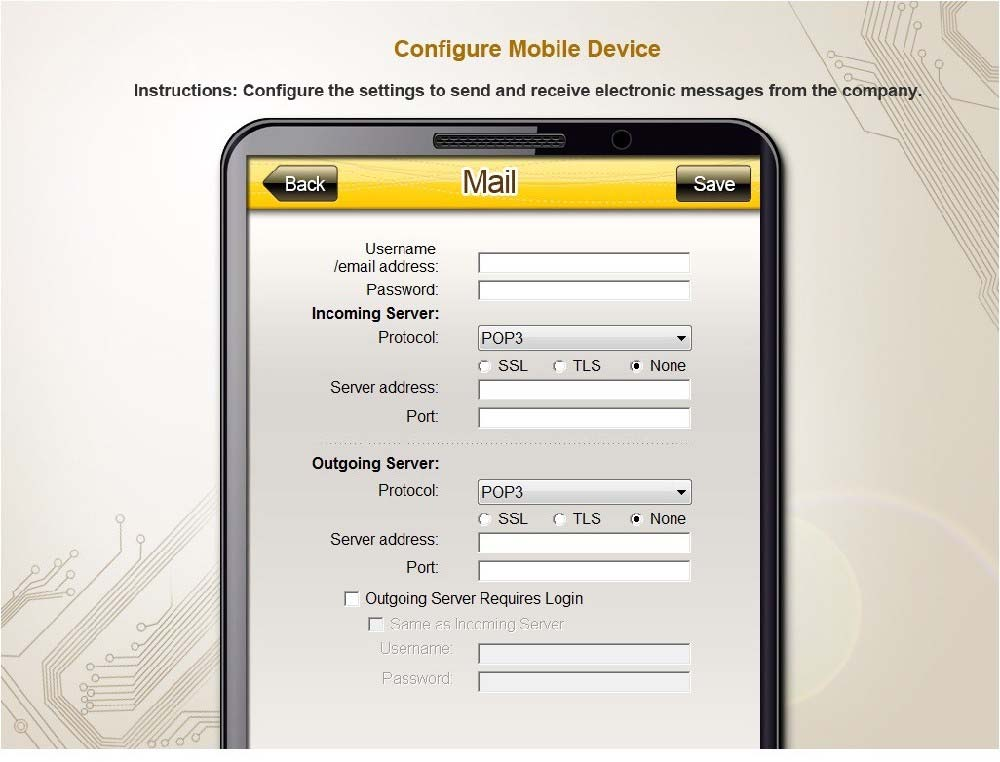
You need to configure your mobile device to send and receive electronic messages from your company. Your mobile device must be able to truly synchronize the message state with your desktop, so that when a message is read on your desktop, it is marked as read on your mobile device. These are the proper parameters:
Email address: [email protected]
Password: P@$$w0rd
Pop.techies.com Port: 110 Security: None
IMAP.techies.com Port: 993 Security: SSL
smtp.techies.com Port: 465 Security: TLS
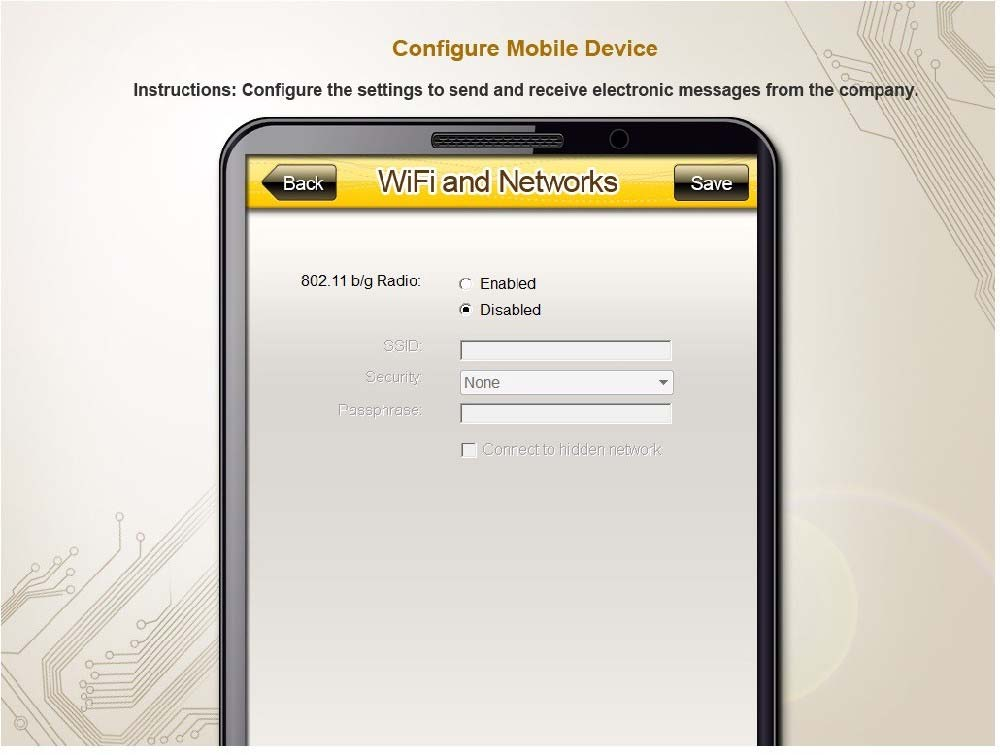
Company SSID: Techies
Security: WPA2
Passphrase: P@$$w0rd
SSID is not broadcasted

Instructions: You are not authorized to use the Company's WLAN. The outgoing server does not require login credentials. When you have completed the simulation, please select the done button to submit your answer.
Not auto-scored - compare your configuration against the model answer.