Task Summary
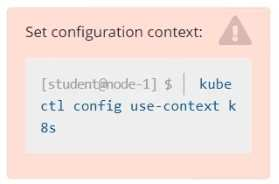
SSH into node: cka000059
Cluster was migrated to a new machine
It uses an external etcd server
Identify and fix misconfigured components
Bring the cluster back to a healthy state
Step-by-Step Solution:
Step 1: SSH into the correct host ssh cka000059
Step 2: Check the cluster status
Run:
kubectl get nodes
If it fails, the kubelet or kube-apiserver is likely broken.
Check kubelet status:
sudo systemctl status kubelet
Also, check pod statuses in the control plane:
sudo crictl ps -a | grep kube or:
docker ps -a | grep kube
Look especially for failures in kube-apiserver or kube-controller-manager.
Step 3: Inspect the kube-apiserver manifest
Since this is a kubeadm-based cluster, manifests are in:
ls /etc/kubernetes/manifests
Open kube-apiserver.yaml:
sudo nano /etc/kubernetes/manifests/kube-apiserver.yaml
Look for the --etcd-servers= flag. If the external etcd endpoint has changed (likely, due to migration), this needs to be fixed.
Example of incorrect configuration:
--etcd-servers=
https://192.168.1.100:2379
If the IP has changed, update it to the correct IP or hostname of the external etcd server.
Also ensure the correct client certificate and key paths are still valid:
--etcd-cafile=/etc/kubernetes/pki/etcd/ca.crt
--etcd-certfile=/etc/kubernetes/pki/apiserver-etcd-client.crt
--etcd-keyfile=/etc/kubernetes/pki/apiserver-etcd-client.key
If the files are missing or the path is wrong due to migration, correct those as well.
Step 4: Save and exit, and let the static pod restart
Static pod changes will be picked up automatically by the kubelet (watch for /etc/kubernetes/manifests changes).
Check again:
docker ps | grep kube-apiserver
# or crictl ps | grep kube-apiserver
Step 5: Confirm API is healthy
Once kube-apiserver is up, try:
kubectl get componentstatuses
kubectl get nodes
If these commands work and return valid statuses, the control plane is functional again.
Step 6: Check controller-manager and scheduler (optional)
If still broken, check the other static pods in /etc/kubernetes/manifests/ and correct paths if necessary.
Also verify that /etc/kubernetes/kubelet.conf and /etc/kubernetes/admin.conf are present and valid.
Command Summary
ssh cka000059
# Check system and kubelet
sudo systemctl status kubelet
docker ps -a | grep kube # or crictl ps -a | grep kube
# Check manifests
ls /etc/kubernetes/manifests
sudo nano /etc/kubernetes/manifests/kube-apiserver.yaml
# Fix --etcd-servers and certificate paths if needed
# Watch pods restart and confirm: kubectl get nodes kubectl get componentstatuses